
After some research, I found out a way to make it looks like a button with different styles by using Bootstrap. It will display all the same in different browsers, and you can choose the right style that matches your design.

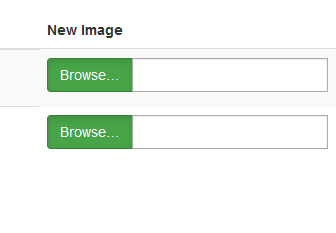
HTML code:
<div class="input-group">
<span class="input-group-btn">
<span class="btn btn-success btn-file active">
Browse… <input type="file" id="uploadimage" name="uploadimage[]" class="form-control" multiple>
</span>
</span>
<input type="text" class="form-control" readonly>
</div>
CSS:
 .btn-file {
   position: relative;
   overflow: hidden;
 }
 .btn-file input[type=file] {
   position: absolute;
   top: 0;
   right: 0;
   min-width: 100%;
   min-height: 100%;
   font-size: 100px;
   text-align: right;
   filter: alpha(opacity=0);
   opacity: 0;
   outline: none;
   background: white;
   cursor: inherit;
   display: block;
 }
 input[readonly] {
  background-color: white !important;
  cursor: text !important;
 }
JS code:
 $(document).on('change', '.btn-file :file', function() {
  var input = $(this),
    numFiles = input.get(0).files ? input.get(0).files.length : 1,
    label = input.val().replace(/\\/g, '/').replace(/.*\//, '');
  input.trigger('fileselect', [numFiles, label]);
 });
 $(document).ready( function() {
   $('.btn-file :file').on('fileselect', function(event, numFiles, label) {
     var input = $(this).parents('.input-group').find(':text'),
       log = numFiles > 1 ? numFiles + ' files selected' : label;
     if( input.length ) {
       input.val(log);
     } else {
       if( log ) alert(log);
     }
   });
 });
For detail, please refer to http://www.abeautifulsite.net/whipping-file-inputs-into-shape-with-bootstrap-3/
